Tool · Open source · Live at cmd-z.com · Running the Lookout beta
Driftwood
Software drifts. Driftwood catches it.
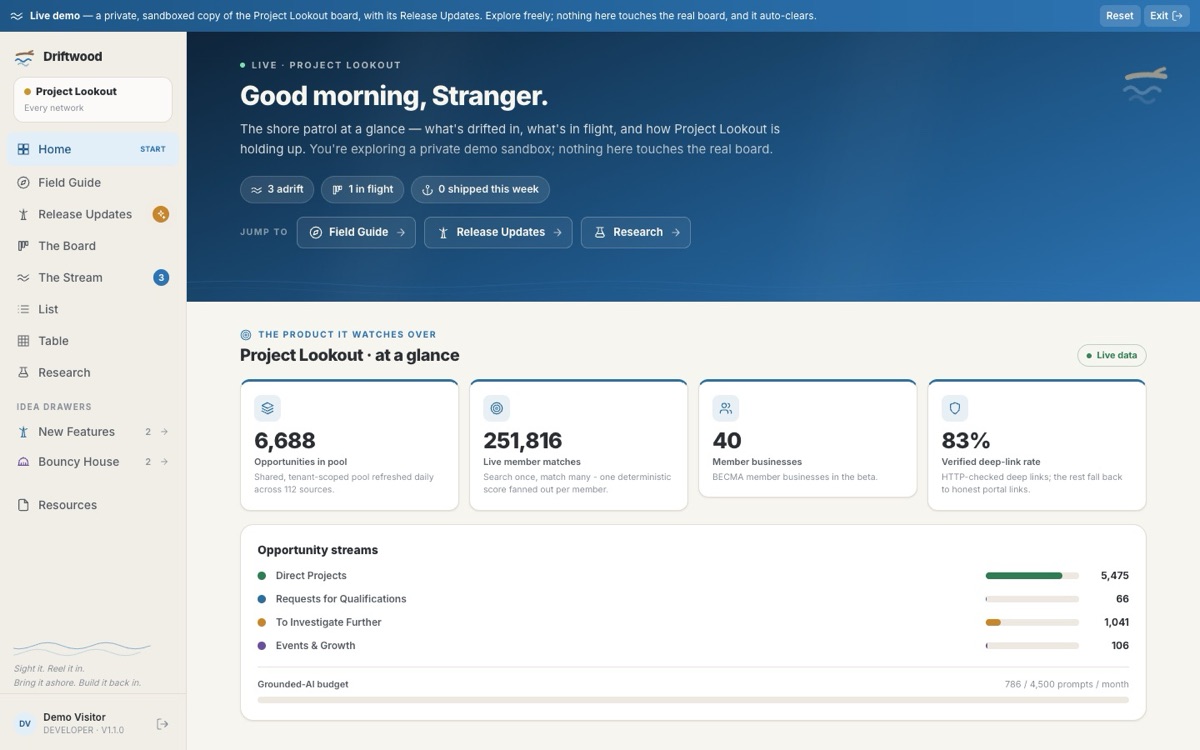
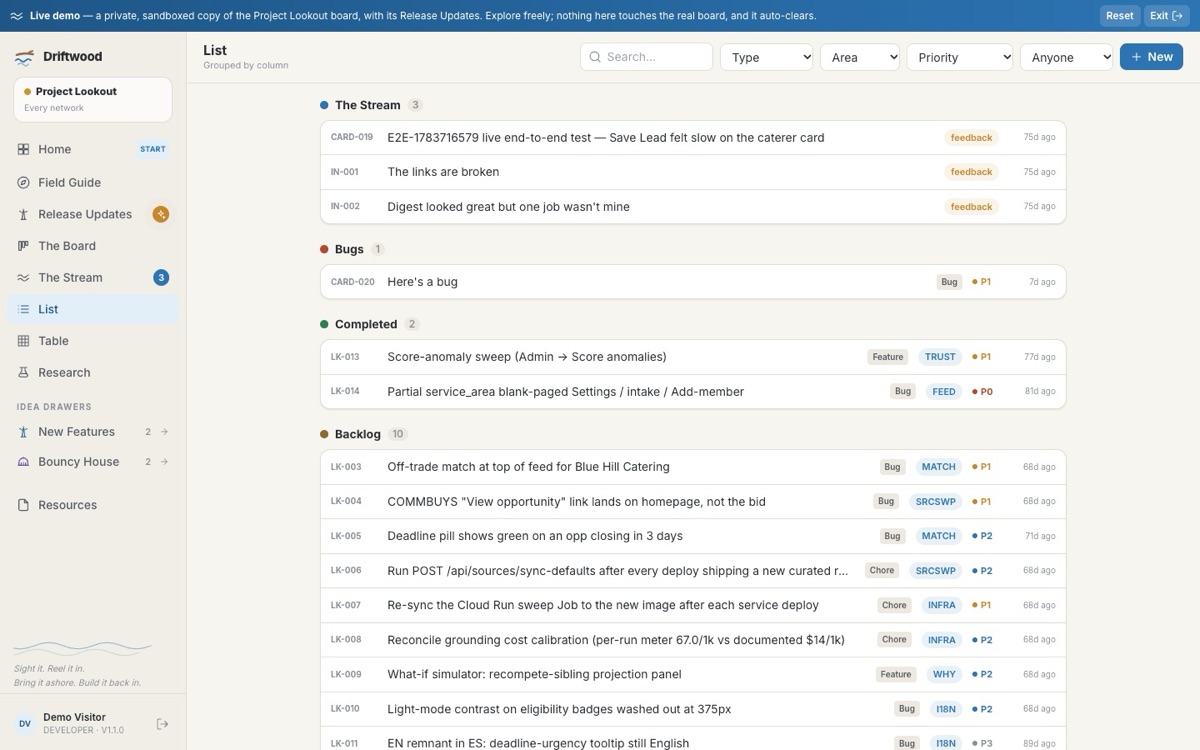
An open source design research platform for running a beta without losing the plot. A calm Stream where testers report what drifted loose, a board with real working lanes, two drawers for wild ideas, and a field guide, all from one container and one config file. It runs the live Project Lookout beta today.
We were running a beta out of a spreadsheet, and it was not going well. The bug tracker was a sheet everyone ignored and a chat channel that swallowed every report by Tuesday. We did not want a heavyweight project tool. We wanted one page a non-technical tester could open, point at what is wrong, and get on with their day, and one board the team could actually run the fix from.
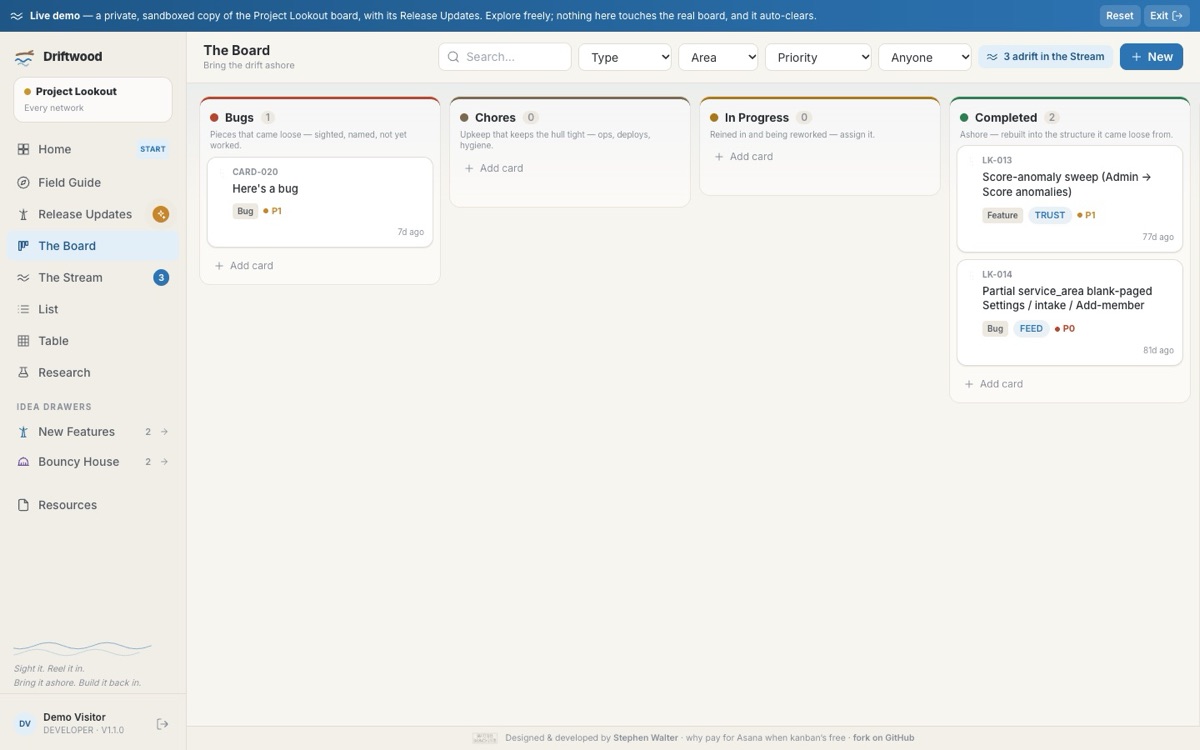
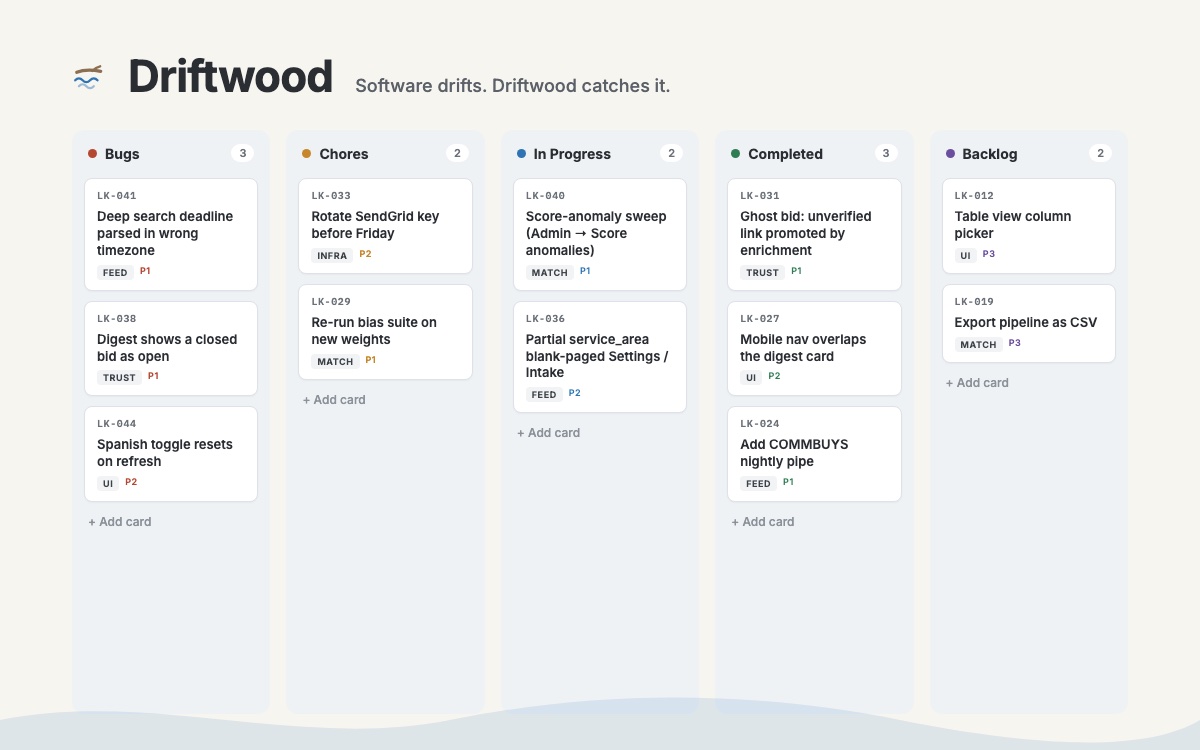
That is all Driftwood is. The Stream for raw reports, a board with real working lanes, and two drawers for the wild ideas that always show up and never fit. No sprints, no story points, no forty-field forms. It runs from one container and one config file, and the whole thing is built on a single idea: software drifts. Every release knocks pieces loose; they float downstream, and someone has to sight them, reel them in, bring them ashore, and build them back into the structure they came from.
Driftwood is the shore patrol for Project Lookout. It runs the live Lookout beta today, and its home dashboard watches over real, anonymized Lookout metrics through read-only views, with a badge that always says whether a number is live or illustrative. Because the board is config-driven, it can be pointed at any product without touching code, and because it is open source and self-hosted, a small organization can run its own beta without paying for a single seat.
There is a one-tap live demo at cmd-z.com: no sign-up, a private copy of the board with real cards and real drag-and-drop. Poke it, break it; it washes clean on its own.
Inside Driftwood
What it looks like to use.
How it works
The path a report walks.
- 1
Sight it
A tester taps "Send feedback" inside the app. Page, URL, screenshot, and console errors attach automatically.
- 2
Reel it in
One POST to the ingest endpoint turns the raw report into a Stream card. Retries are de-duplicated so nothing files twice.
- 3
Bring it ashore
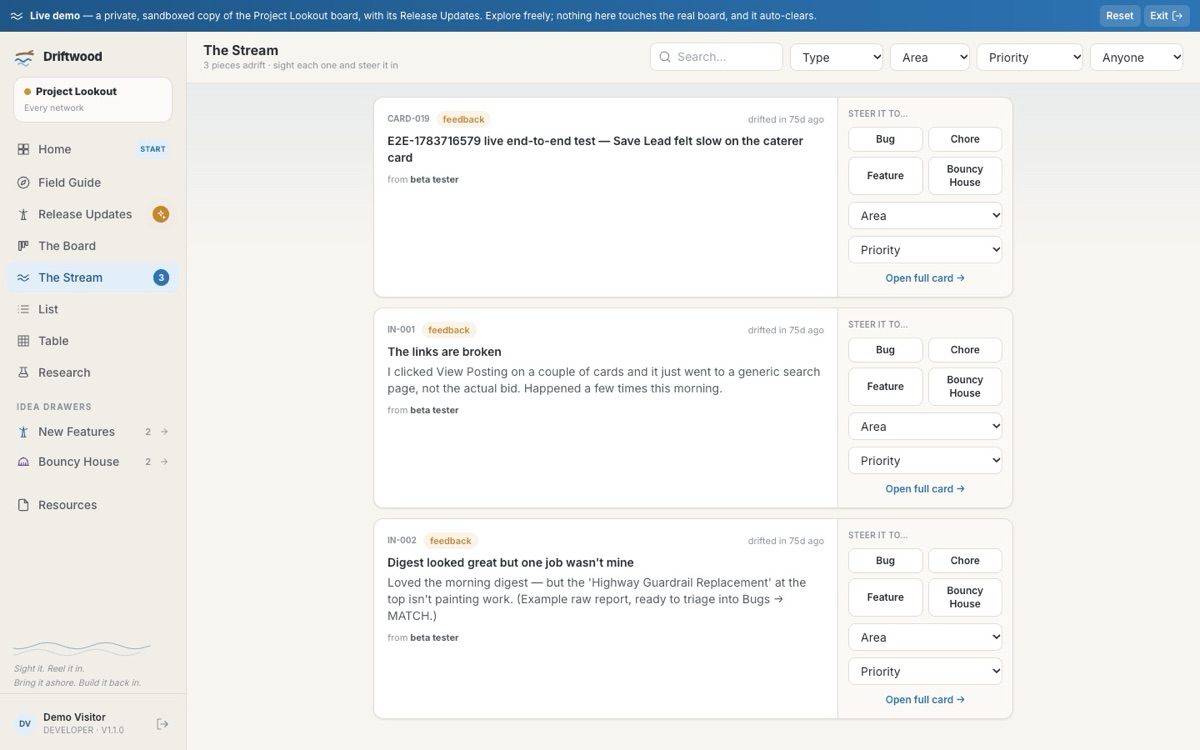
A human looks at each report in the Stream and steers it: Bug, Chore, Feature, or Idea, with an area and a priority.
- 4
Build it back in
The card moves through the working lanes to Completed. Idle for more than seven days and it sweeps itself to the Backlog.
What it does
Everything it does, and nothing extra.
The Stream
A calm place to sight raw reports as they float by, never a board column. Look at each one and steer it.
The Board
Just the working lanes. Drop a card in Completed and the whole thing celebrates. Brought ashore.
Idea drawers
New Features and the Bouncy House live off to the side in slide-out drawers, so wild ideas never clutter the board and never get lost.
Field Guide
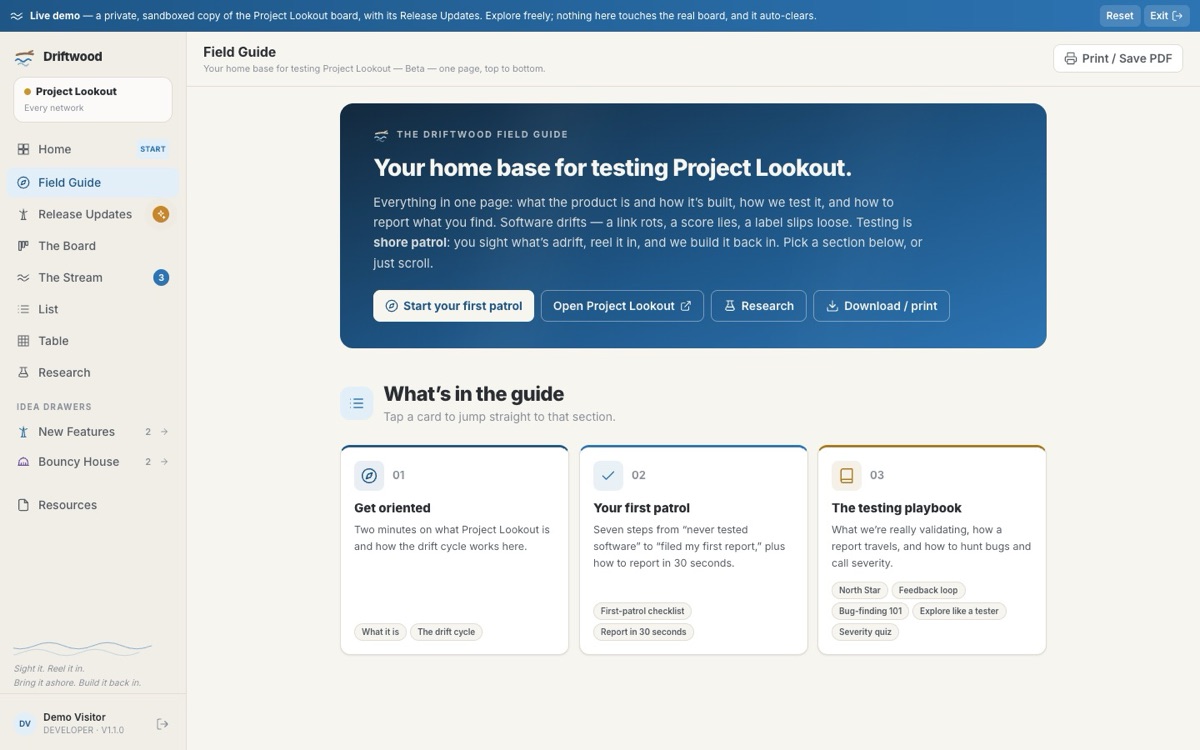
An interactive testing playbook for non-technical testers, baked in. No manual required.
Feedback ingest
One small endpoint turns a message, page, screenshot, and browser details into a triage-ready card.
Config-driven
Columns, areas, types, priorities, and phases live in one file. Point it at a different product and the whole board becomes theirs. No code surgery.
Design principles
The rules it was built by.
Opinionated on purpose
A Stream, a board, two drawers, one guide. It is not trying to run your company, just your beta, so it says no to nearly everything a big project tool would add.
One metaphor, all the way down
Software drifts, so every surface is a beat in the drift cycle and the design system is coastal: warm paper, river blue, tide lines, a bobbing piece of driftwood.
Motion is never load-bearing
Content is always on the page; reveal, parallax, and ripples are decoration you can switch off. Every animation respects reduced motion and print.
Honest or omitted
Never present a synthetic number as live. Placeholder data is labelled. A tile with no honest number is dropped, not faked.
Config over code
One file retargets the entire board to a new product. Driftwood ships pointed at Project Lookout as a worked example, with zero hard dependency on it.
Tenant-scope everything
Every row carries a tenant and every query is scoped by it. Cross-tenant reads fail instead of leaking, and reads never quietly rewrite the board.
The hard problems
What it took, and how we solved it.
The interesting engineering is invisible when it works. Open one.
HonestyReal data without ever lying
Showing live Lookout metrics on the dashboard meant a decoupled contract: read-only database views, a locked-down role that cannot see raw tables, a four-second timeout, and a clearly labelled placeholder fallback. Live versus illustrative is always on the badge.
IsolationMany sandboxes on a single database
One board is real; demo sandboxes are throwaway tenants on the same database, poured from a scrubbed snapshot and reaped automatically. Isolation is a tenant column on every row plus a scope on every query.
SafetyShipping next to a production sibling
Driftwood shares a cloud project with the live Lookout service. Deploys are a scoped, single-service source deploy verified on the real domain, so the sibling app is never at risk.
DogfoodingThe tool tests itself
Driftwood runs the actual Project Lookout beta. Every rough edge in triage got felt first-hand, then filed into its own Stream.
The Hope Standard, applied
How our values show up inside Driftwood.
Values are easy to print. Here is where they live in the product.
Nothing synthetic is ever shown as live. Every figure on the dashboard says whether it comes from a real source, and the badge is enforced in code.
Tester reports stay in a database the team controls. Every row is tenant-scoped and demo sandboxes wash clean on their own.
Nothing is triaged automatically. A person sights every report and decides where it goes.
Open source and self-hosted, with no per-tester bill. A community organization can run its own beta without buying seats.
More projects
All projects Tool · Project Lookout
Every opportunity your organization deserves, found and ranked for you
A patent pending procurement-intelligence platform that sweeps 100+ grant, contract, and bid sources every night, verifies every link, and scores...
Patent pending · Launching October 6 · Free for BECMA members
Read more
Tool · Project Lookout
Every opportunity your organization deserves, found and ranked for you
A patent pending procurement-intelligence platform that sweeps 100+ grant, contract, and bid sources every night, verifies every link, and scores...
Patent pending · Launching October 6 · Free for BECMA members
Read more
 Tool · Driftwood
Software drifts. Driftwood catches it.
An open source design research platform for running a beta without losing the plot. A calm Stream where testers report what drifted loose, a board...
Open source · Live at cmd-z.com · Running the Lookout beta
Read more
Tool · Driftwood
Software drifts. Driftwood catches it.
An open source design research platform for running a beta without losing the plot. A calm Stream where testers report what drifted loose, a board...
Open source · Live at cmd-z.com · Running the Lookout beta
Read more
 Program · Civic AI Access Lab
Civic AI Access Lab: apprentice-delivered AI training for small business owners
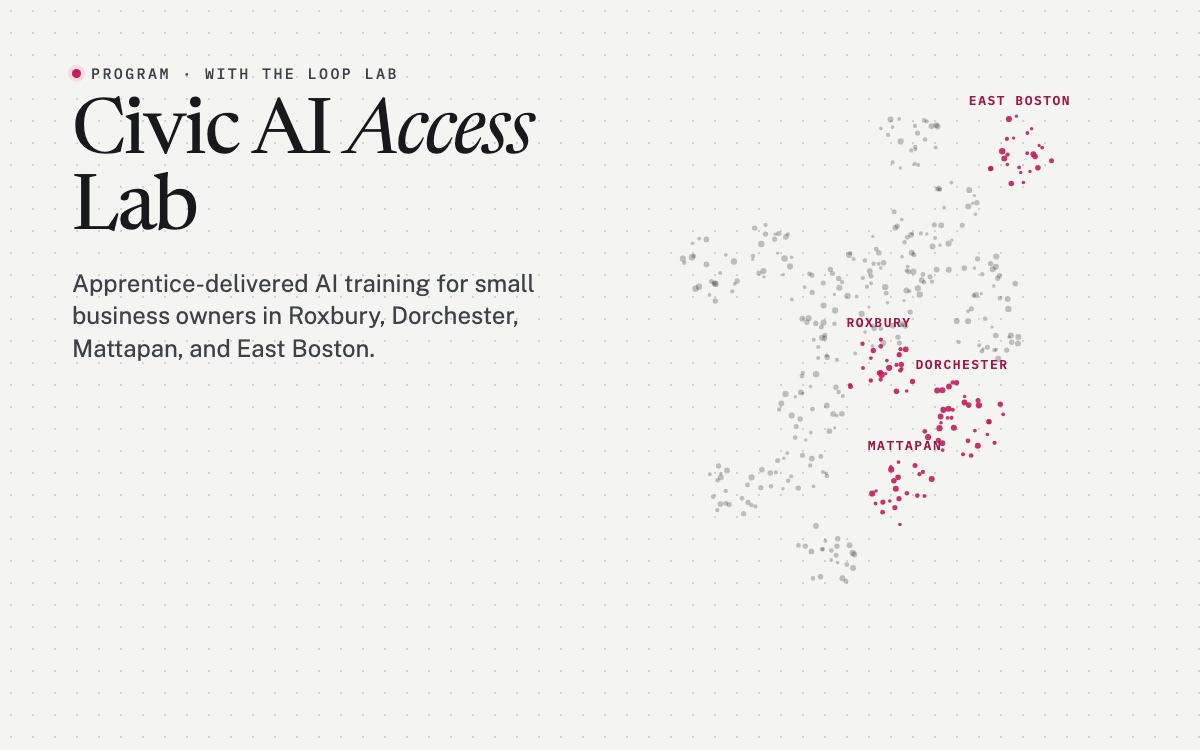
A six-month, neighborhood-based program that trains 40 to 50 small business owners in Roxbury, Dorchester, Mattapan, and East Boston to solve real...
2026 · with The Loop Lab and the City of Boston
Read more
Program · Civic AI Access Lab
Civic AI Access Lab: apprentice-delivered AI training for small business owners
A six-month, neighborhood-based program that trains 40 to 50 small business owners in Roxbury, Dorchester, Mattapan, and East Boston to solve real...
2026 · with The Loop Lab and the City of Boston
Read more